


My Earthquake Alerts Pro
4.8403.00 Reviews
App Specs
- Version
- 26.3.0
- Updated On
- License
- $2.99
- Downloads
- 50,000+
- Developer
- JRustonApps B.V.
- Categories
- Weather
- Platform
- Android, iOS
Screenshots
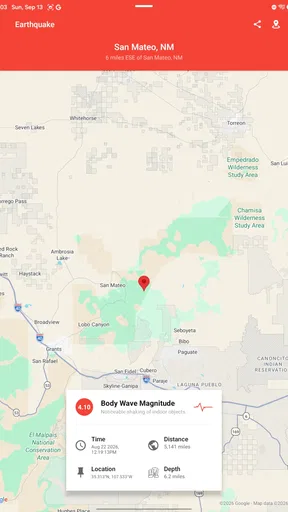
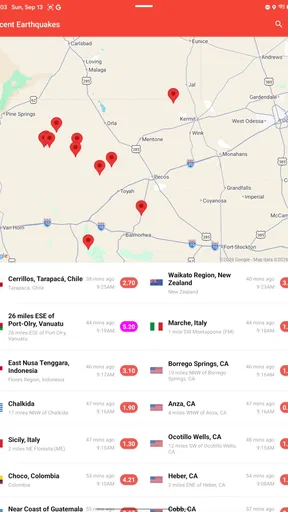
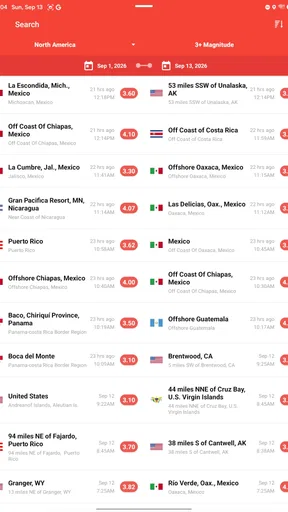
 Analysis by AppCompare
Hey there! So, I recently stumbled upon an app called My Earthquake Alerts Pro, and I’ve got to say, it’s been quite the discovery. If you’re someone who likes to stay informed about seismic activities around the globe, this app might just become your best friend. Let me walk you through my experience with it.
First Impressions and User Interface
Right off the bat, the interface of My Earthquake Alerts Pro is sleek and intuitive. As soon as you open the app, you’re greeted with a clean design that doesn’t overwhelm you with too much information at once. The developers have done a fantastic job keeping it user-friendly, which is something I truly appreciate.
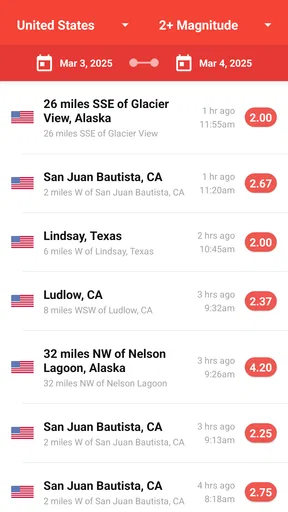
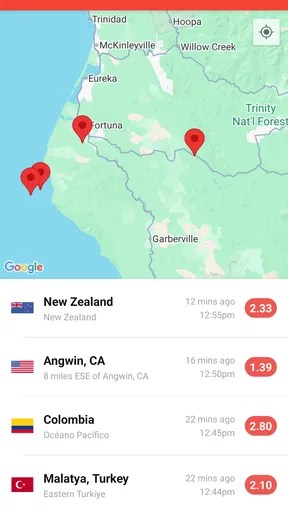
Navigation is a breeze, thanks to the well-organized tabs. You can easily switch between viewing recent earthquakes, checking the map, and accessing your personalized settings. Trust me, you won’t be fumbling around trying to find what you need.
Features That Stand Out
Now, let’s dive into the features. First up, the real-time alerts. This app sends notifications as soon as an earthquake is detected, and you can customize the notifications to suit your preferences. Whether you’re interested in local tremors or significant quakes worldwide, you can set the app to alert you accordingly.
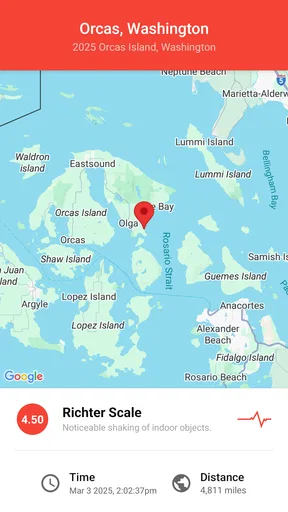
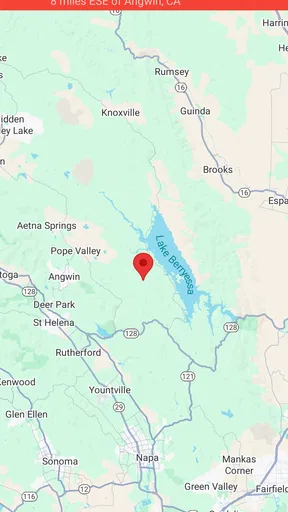
Another feature I found super handy is the detailed information provided for each earthquake. When you tap on an event, you get a comprehensive breakdown that includes the magnitude, depth, and location, along with a map view. It’s like having a mini-geology lesson at your fingertips!
Customization and Personalization
One of the things I love most is how customizable the app is. You can tweak the settings to filter earthquakes by magnitude, distance, and time. Plus, the app allows you to set up a list of favorite locations. This is particularly useful if you have family or friends living in different seismic zones and want to keep tabs on those areas.
The app also features a dark mode, which is a blessing for late-night users like myself. It’s easy on the eyes and just adds to the overall smooth experience.
Worth Reading Before You Choose

EA SPORTS FC Mobile 26 Is a Bigger Football Game, but It Takes Time

Flipboard Shows What News Apps Must Do Beyond the Feed

Switching to Android Auto Means Rethinking Your Driving Routine

Google Calendar Makes a Crowded Week Easier to Manage

Ludo King Makes the Most of the Minutes Between Plans

Baby Panda World Brings Quick Play to Modern Phones, but Its Game Library Feels Busy
Performance and Reliability
Performance-wise, My Earthquake Alerts Pro is top-notch. I haven’t experienced any crashes or lags, which is crucial for an app that deals with real-time data. It updates quickly and consistently, ensuring you have the most up-to-date information at any given moment.
Battery consumption is minimal, which is always a plus. You don’t have to worry about the app draining your phone’s battery, even if you have notifications turned on.
Why You Should Consider It
If you’re a data enthusiast or simply someone who wants to stay informed about natural events, this app is definitely worth a shot. It’s not just for science geeks; it’s practical for anyone living in or traveling to earthquake-prone areas. With its reliable alerts and detailed information, it’s like having a personal seismic activity monitor in your pocket.
In conclusion, My Earthquake Alerts Pro is a must-have for anyone interested in real-time earthquake information. It’s user-friendly, customizable, and reliable—everything you could want in a notification app. So, if you haven’t already, give it a try. You might just find it’s the app you never knew you needed.
Pros
- Real-time earthquake alerts.
- Customizable notification settings.
- Detailed seismic activity maps.
- User-friendly interface design.
- No ads for uninterrupted use.
Cons
- Limited historical data access.
- Requires internet for updates.
- No offline alert functionality.
- Occasional notification delays.
- Subscription required for all features.
FAQs for My Earthquake Alerts Pro
What features does My Earthquake Alerts Pro offer?
My Earthquake Alerts Pro provides real-time earthquake notifications, customizable alerts, and detailed seismic data. Users can access historical earthquake information, view interactive maps, and filter notifications based on magnitude and location. The app also offers an ad-free experience, ensuring an uninterrupted user interface for those who want to stay informed about seismic activity.
Is My Earthquake Alerts Pro available for both Android and iOS?
Yes, My Earthquake Alerts Pro is available for download on both Android and iOS platforms. This ensures that users across different devices can access real-time earthquake information and notifications, regardless of their operating system. The app is optimized for a seamless experience on both mobile platforms.
How accurate are the earthquake alerts provided by the app?
My Earthquake Alerts Pro sources its data from reputable seismic agencies, ensuring high accuracy in its notifications. The app updates in real-time and provides users with precise information about the location, magnitude, and depth of earthquakes. Users can trust the app for timely and reliable alerts.
Can I customize the notifications I receive from My Earthquake Alerts Pro?
Absolutely. My Earthquake Alerts Pro allows users to customize their notification settings to receive alerts based on specific magnitudes and locations. This flexibility ensures that users only receive the information most relevant to them, reducing unnecessary notifications while staying informed about significant seismic events.
Is there a cost associated with downloading or using My Earthquake Alerts Pro?
My Earthquake Alerts Pro may require a one-time purchase or subscription to access certain premium features, such as the removal of ads and enhanced customization options. However, the app's basic features, including earthquake alerts and maps, are typically available for free. Check the app store for specific pricing details.


